Export & General Settings
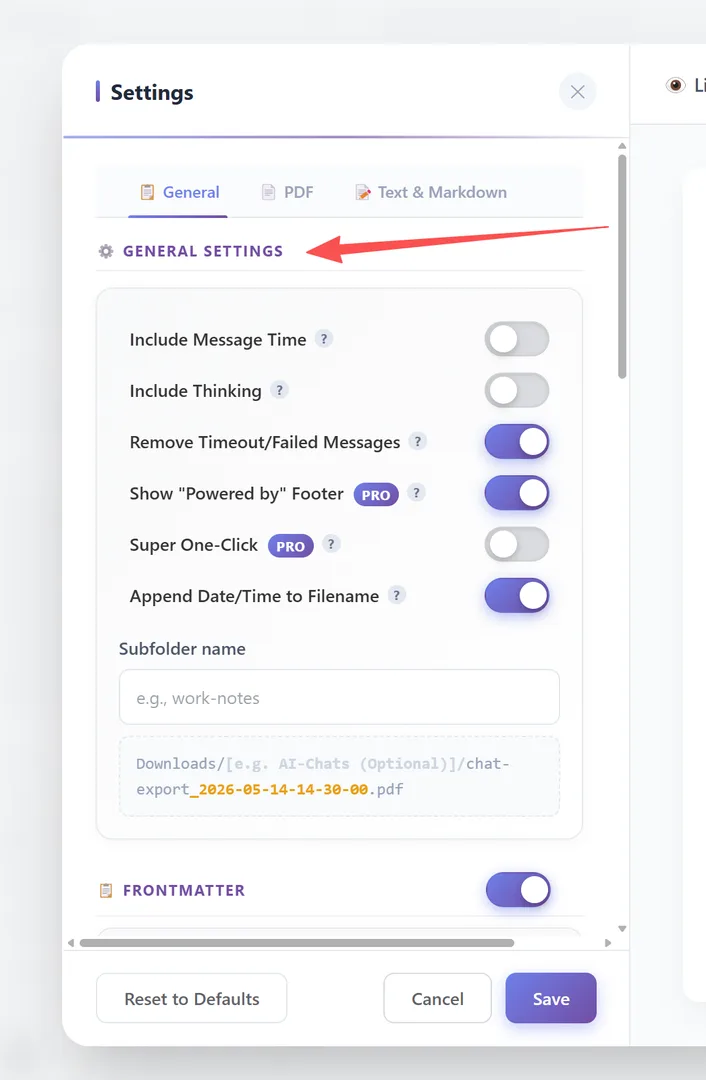
The **General** tab in Settings controls what gets included in your exported files, how filenames are generated, and how frontmatter metadata is structured.
General Settings
| Setting | Label | Default | |
|---|---|---|---|
| Include Message Time | "Include Message Time" | OFF | |
| Include Thinking | "Include Thinking" | OFF | |
| Remove Timeout/Failed | "Remove Timeout/Failed Messages" | ON | |
| Show Watermark | "Show \"Powered by\" Footer" | ON | Toggle on/off |
| Super One-Click | "Super One-Click" | OFF | |
| Append Date/Time | "Append Date/Time to Filename" | ON | |
| Subfolder Name | "Subfolder name" | (empty) |
Include Message Time: Shows when each message was sent.
Include Thinking: Includes AI's internal reasoning blocks (DeepSeek, Claude, Gemini thinking content).
Remove Timeout/Failed Messages: Filters out failed or timed-out retry messages for cleaner exports.
Show Watermark: Adds a "Powered by" footer. This can be toggled off in the enhanced plan.
Super One-Click: Enhanced one-click export behavior .
Append Date/Time: Adds a timestamp to the filename (e.g., chat-export_2024-01-15-14-30-00.pdf).
Subfolder Name: Custom subfolder for all exports (e.g., "work-notes"). Files save to Downloads/[subfolder]/.
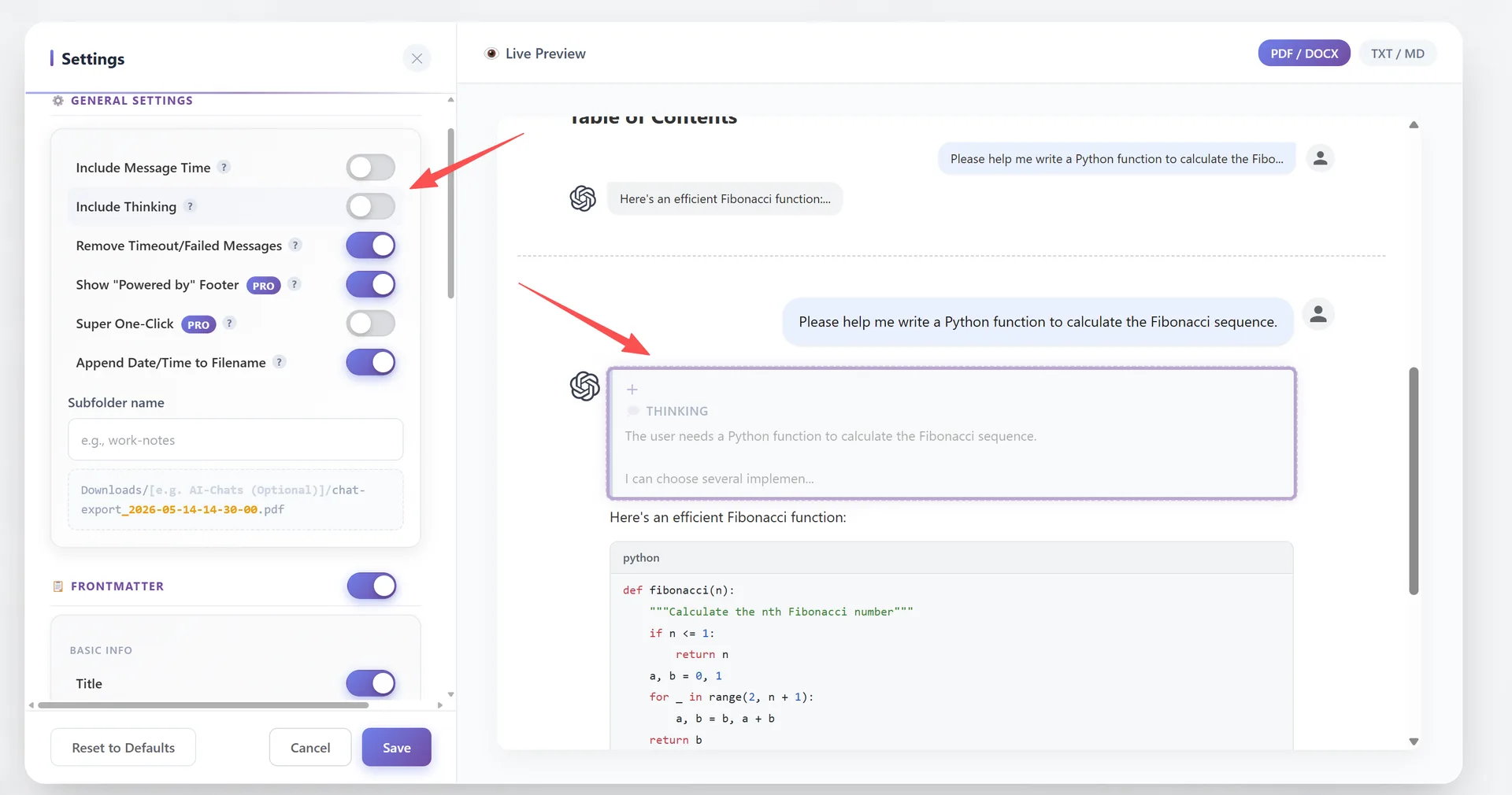
👁️ Live Preview (right pane): The Settings panel includes a real-time preview on the right side. It has two tabs:
- PDF — shows how PDF output will look
- Text — shows how Text/Markdown output will look
The preview updates automatically as you change settings. It even smart-switches — hovering over the General settings card switches to PDF preview, while hovering over the Metadata card switches to Text preview.
Frontmatter Configuration
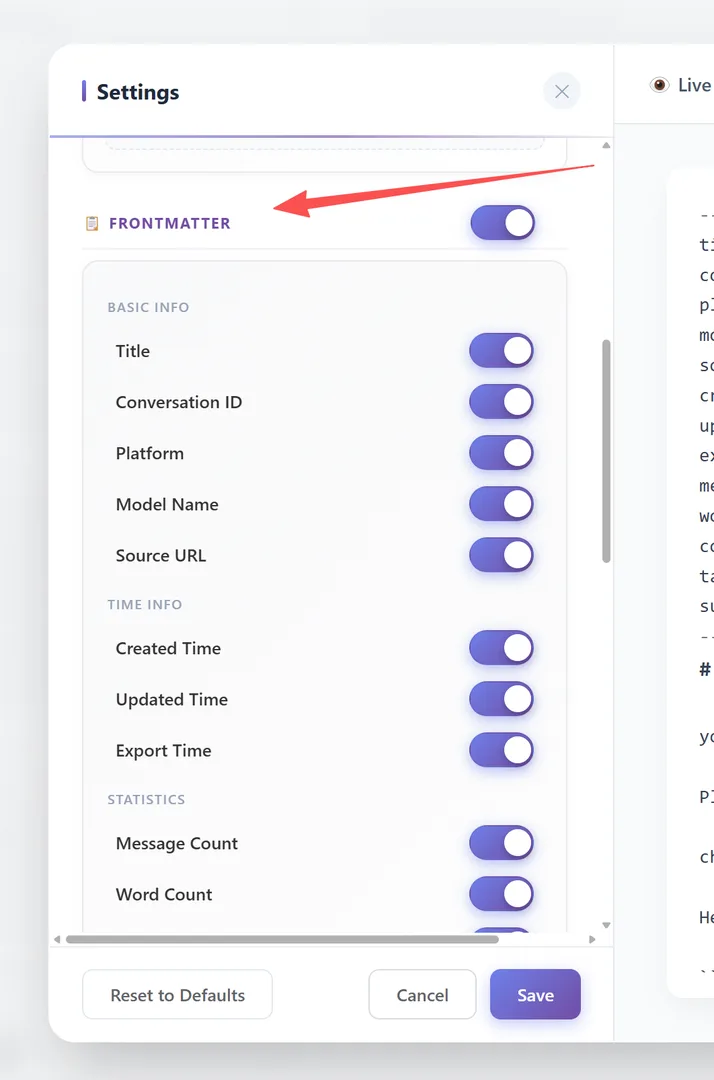
The Frontmatter section (with a master toggle switch) controls structured metadata in your exports. It's organized into groups:
BASIC INFO — Title, Conversation ID, Platform, Model Name, Source URL
TIME INFO — Created Time, Updated Time, Export Time
STATISTICS — Message Count, Word Count, Content Types
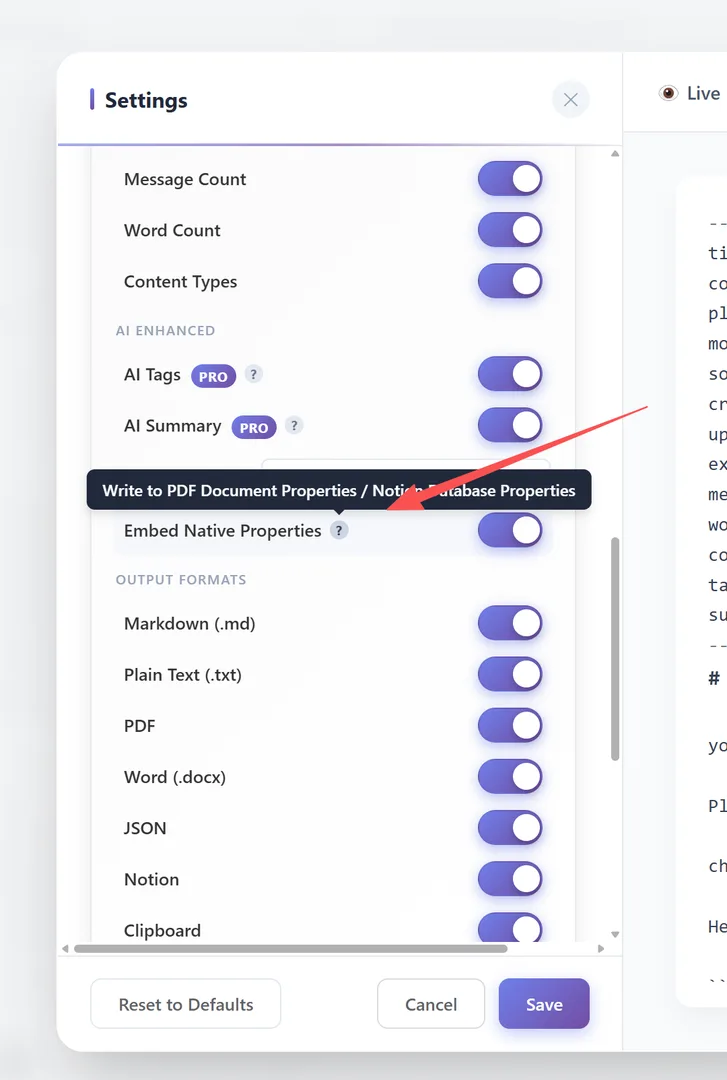
AI ENHANCED — AI Tags, AI Summary (requires AI Provider configured)
FORMAT — Date Format (ISO 8601 / Date Only / Local), Embed Native Properties
OUTPUT FORMATS — Toggle metadata on/off per format: Markdown, Text, PDF, Word, JSON, Notion, Clipboard
Each field can be individually toggled. "Embed Native Properties" writes metadata to PDF Document Properties or Notion Database Properties.
Text & Markdown Settings
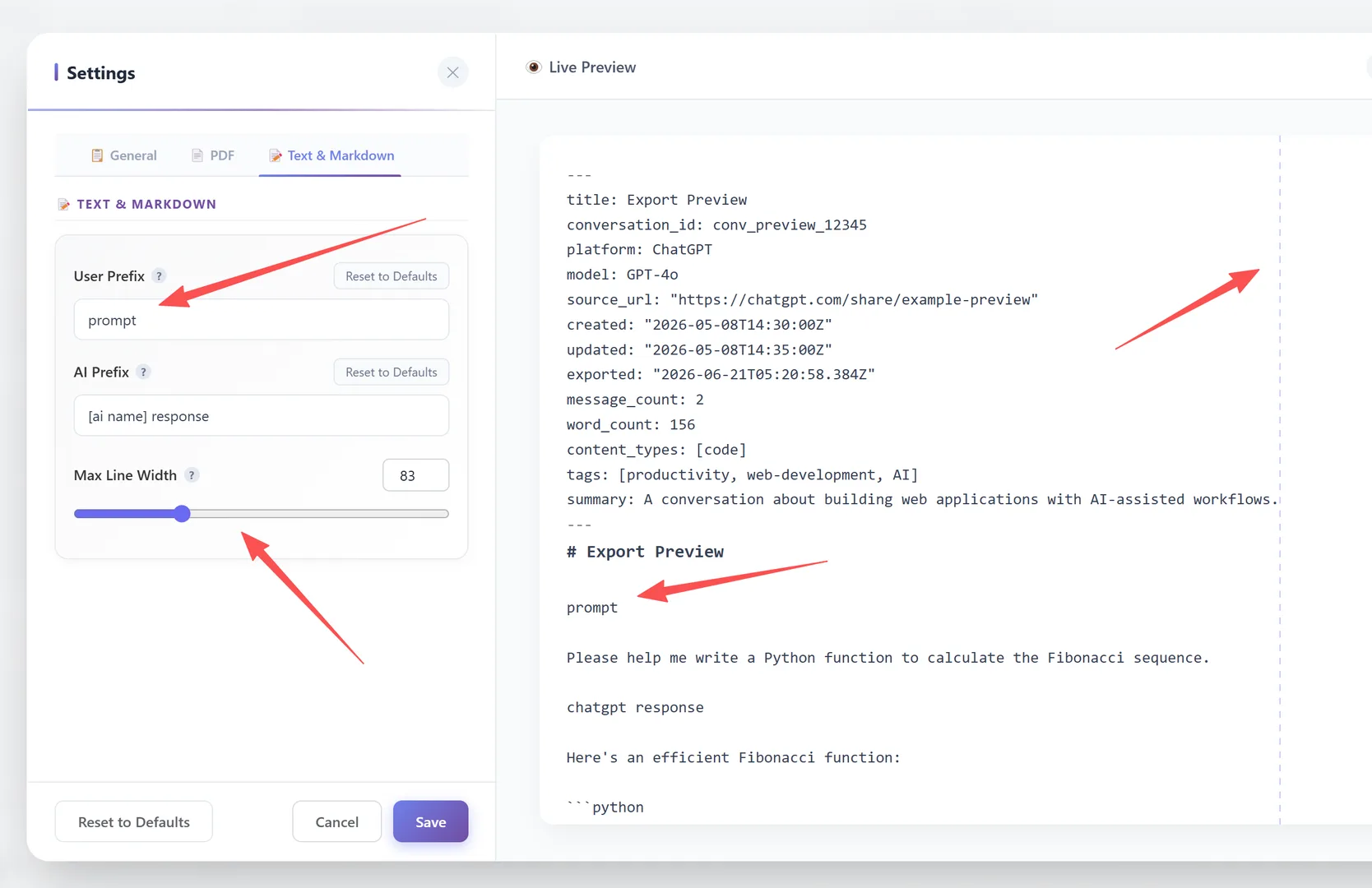
The Text & Markdown tab controls text formatting for Markdown and Text exports:
| Setting | Label | Default |
|---|---|---|
| User Prefix | "User Prefix" | you asked |
| AI Prefix | "AI Prefix" | [ai name] response |
| Max Line Width | "Max Line Width" | 0 (unlimited) |
User Prefix: Text shown before each user message. Set to empty to hide.
AI Prefix: Text shown before each AI message. Supports [ai name] placeholder (e.g., "ChatGPT response"). Set to empty to hide.
Max Line Width: Maximum characters per line (0 = unlimited). Useful for keeping Markdown files readable in plain text editors.
Frequently Asked Questions
Do settings apply to all formats?+
General settings apply globally. Some settings (like PDF Width) only affect specific formats. Frontmatter has per-format output toggles.
Are settings saved between sessions?+
Yes. All settings persist in your browser storage and apply to all future exports.
What does "Remove Timeout/Failed Messages" do?+
It filters out messages that failed to generate or timed out during the AI response. This prevents duplicate or incomplete messages in your export.