File Organization & Text Settings
Control how your exported files are named and organized, plus text formatting options for Markdown and Text exports.
Subfolder Organization
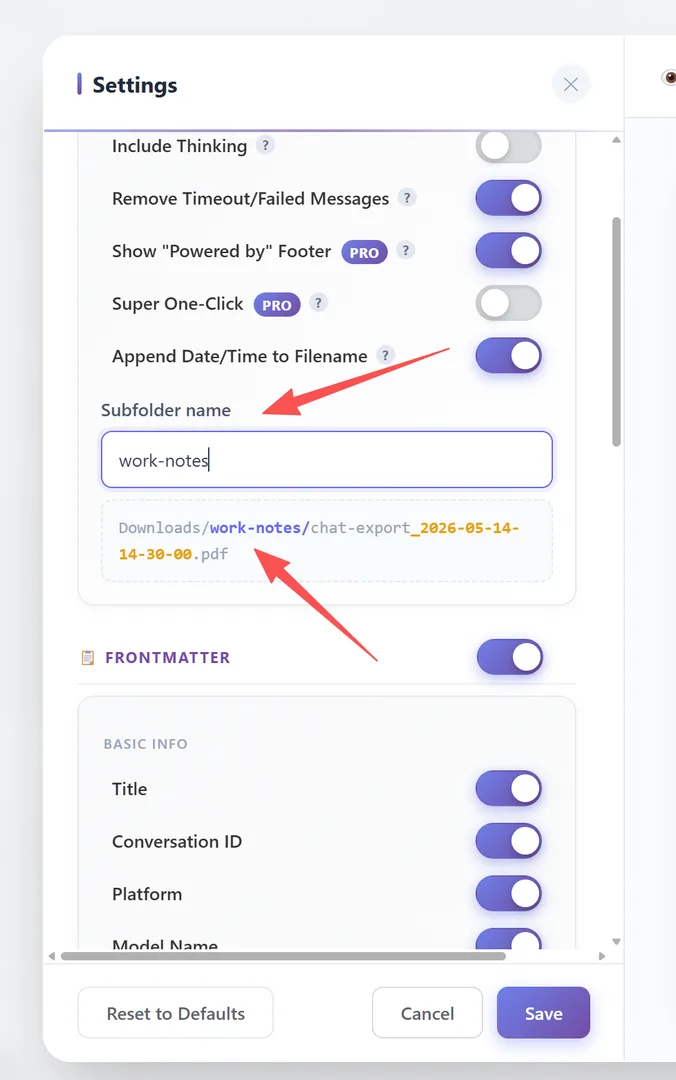
Setting: "Subfolder name" (in Settings → General)
Enter a custom subfolder name to organize your exports:
- Leave empty: files save to your default Downloads folder
- Enter a name (e.g., "work-notes"): files save to
Downloads/work-notes/
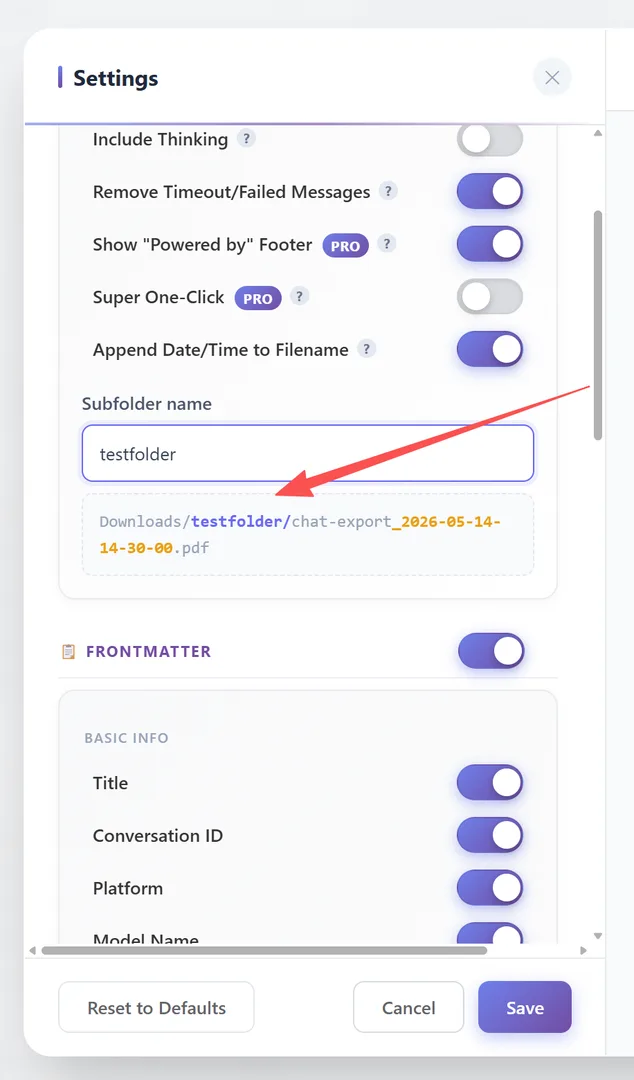
Path preview at the bottom of Settings shows exactly where files will be saved:
Downloads/work-notes/chat-export_2024-01-15-14-30-00.pdfThe subfolder applies to ALL export formats (PDF, Markdown, Word, Text, JSON).
Filename Settings
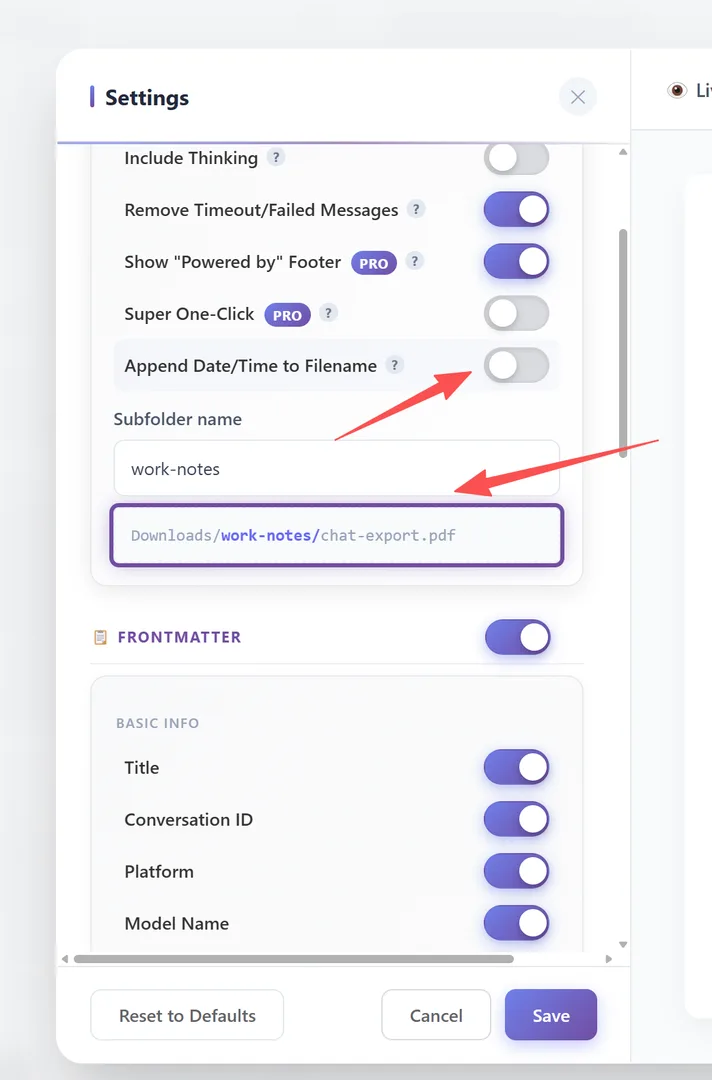
Setting: "Append Date/Time to Filename" (default: ON)
With date/time enabled (default):
chat-export_2024-01-15-14-30-00.pdf
chat-export_2024-01-15-14-30-00.md
With date/time disabled:
chat-export.pdf
chat-export.md
The base filename is always "chat-export". The date/time stamp uses the format YYYY-MM-DD-HH-MM-SS.
Text & Markdown Prefixes
Tab: Settings → Text & Markdown
Control how messages are labeled in Markdown and Text exports:
User Prefix (default: you asked) Text shown before each user message. Set to empty to hide the prefix entirely.
AI Prefix (default: [ai name] response) Text shown before each AI message. The [ai name] placeholder is replaced with the actual AI name (e.g., "ChatGPT", "Claude", "Gemini"). Set to empty to hide.
Max Line Width (default: 0 = unlimited) Maximum characters per line in text exports. Set a value (e.g., 80 or 120) to wrap long lines for better readability in plain text editors.

Frequently Asked Questions
Does subfolder organization work on all operating systems?+
Yes. The extension creates the subfolder in your browser's default download directory. Works on Windows, macOS, and Linux.
What if I want different subfolders for different platforms?+
Currently, there is one subfolder setting that applies to all exports. You can change it between exports if needed.
What does [ai name] in the AI Prefix mean?+
It's a placeholder that gets replaced with the actual AI name. For example, if you're exporting from ChatGPT, it becomes "ChatGPT response".